

Live streaming software is best choice for someone interact and expose their conversation with client and customer instantly. This has become one of the most powerful ways to reach audiences across platforms like YouTube, Facebook, TikTok, Twitch, LinkedIn, and even private webinars. Whether you’re a gamer, coach, influencer, educator, or online business owner, you now have dozens of high-quality tools—many of them free—that help you stream professionally without needing expensive gear.
You’ll find tools for:
- Gaming streams
- Interview podcasts
- Multistreaming
- Mobile creators
- Beginners
- Advanced professionals
Let’s dive into the 19 best free and freemium live-streaming software options for 2025.
Why Free Live Streaming Software Matters
You don’t need expensive gear to start streaming. Free tools now handle 4K broadcasts, multi-platform delivery, and pro-level overlays. Pick the right one, and you save money while building your audience. We ranked these based on customization, stability, community support, and real-world performance in 2025.
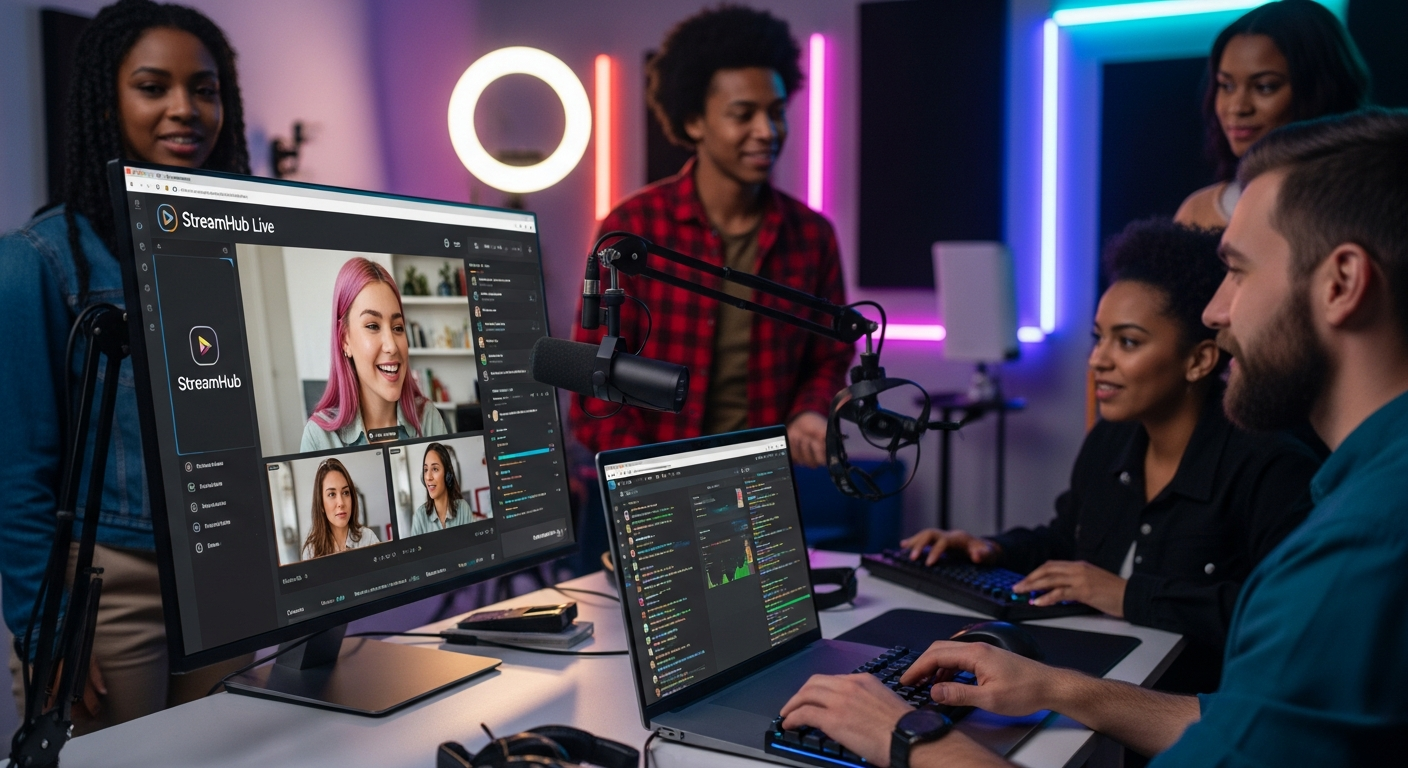
This guide combines all the tools and all the data from your three provided sources into a single, clean, well-structured long article.
19 Live Streaming Software List
🎮 Streaming Software
- OBS Studio
- Streamlabs
- Nvidia ShadowPlay
- Gamecaster
🌐 Browser-Based Streaming Tools
- VDO.Ninja
- Lightstream
- Melon
- Restream Studio
- OneStream Live
- Be.Live
📱 Mobile Live Streaming Tools
- Prism Live Studio
- TikTok Mobile Live
- Instagram Live
- GO: Livecast
📺 Platform-Based Streaming Tools
- YouTube Live Control Room
- Facebook Live Producer
- Discord Go Live
🎥 Professional Tools
- Castr
- Wirecast Play
Free Streaming Software for Gamers & PC Creators
1. OBS Studio (Free & Open Source)
Best for: Gamers, podcasters, professionals
Skill Level: Intermediate to Advanced
Platforms: Windows, macOS, Linux
OBS Studio is the backbone of most professional live streams. It’s 100% free and open source, and thousands of plugins make it endlessly customizable. It’s ideal for creators who want full control over scenes, audio routing, overlays, and multiple camera setups.
Top Features:
- Unlimited scenes
- Multisource layouts
- Audio mixer with filters
- Plugin marketplace
- Virtual camera
- Screen capture & window capture
- RTMP streaming to any platform
OBS is powerful, but beginners may face a learning curve—the interface isn’t as beginner-friendly as browser-based tools like Melon or Restream Studio.
Free Features Include:
- HD/Full HD streaming
- Recording + streaming simultaneously
- Hotkeys
- Custom transitions
- Studio Mode preview
OBS remains the gold standard for pro-level free streaming.
2. Streamlabs (Free + Paid Upgrades)
Best for: Beginners, gamers, interactive streams
Skill Level: Beginner to Intermediate
Platforms: Windows, macOS
Streamlabs builds on OBS with a modern interface and extra features, including built-in alerts, themes, tipping pages, and chat integrations. It’s creator-friendly and great for gamers who want “plug and play” streaming.
Key Features:
- Drag-and-drop overlays
- Built-in alerts
- Donation/tip page
- Chat integration
- App Store with addons
- Cloud sync (with subscription)
Their mobile app (covered later) is also robust for smartphone creators.
Free Features Include:
- Essential overlays
- Basic alerts
- Streaming to major platforms
- Recording
The paid upgrade provides premium themes, multistreaming, and enhanced widgets.
3. Nvidia ShadowPlay
Best for: Nvidia GPU users, gamers
Skill Level: Beginner
Platforms: Windows (Nvidia hardware required)
ShadowPlay is built into Nvidia GeForce Experience and allows instant game capture with almost zero performance loss. Gamers love it for its ability to save the last 30 seconds to 20 minutes of gameplay on command.
Key Features:
- Instant replay
- Background recording
- Up to 4K HDR capture (depending on GPU)
- Minimal performance hit
- Screenshot & GIF tools
Free Features Include:
- Streaming directly to YouTube, Facebook, Twitch
- Overlays
- Highlights detection
Perfect for players who want a smooth, low-impact recording/streaming setup.
4. Gamecaster
Best for: Beginners who want a simple dashboard
Skill Level: Beginner
Platforms: Windows
Gamecaster offers a friendly UI with straightforward setup and pre-built overlays. Although not as powerful as OBS or Streamlabs, it’s a beginner-friendly choice with unique features like cloud scene saving.
Key Features:
- Simple interface
- Alerts & widgets
- Themed overlays
- Cloud sync
- Integrated chat
Free Features Include:
- Streaming to all major platforms
- Basic themes
- Recording
Great option for streamers who value simplicity and speed.
Browser-Based Streaming Studios (Beginner Friendly)
5. VDO.Ninja (Free & Browser-Based)
Best for: Remote guests, interviews, low-latency streaming
Skill Level: Intermediate
Platforms: Browser (all devices)
VDO.Ninja is a completely free, web-based streaming tool used by many podcasters and professional interview shows. Its standout feature is ultra-low-latency remote guest capture.
Top Features:
- Low-latency peer-to-peer streaming
- No downloads required
- Add guests via link
- High quality screen share
- Direct integration with OBS
Free Features Include:
- Multiple guests
- Browser scenes
- Audio routing
- Webcam and screen capture
If you want to host interviews or remote co-streams with “almost instant” delay, this is one of the best tools available.
6. Lightstream
Best for: Console gamers (Xbox, PlayStation) & streamers who want cloud-based mixing
Skill Level: Beginner
Platforms: Browser
Lightstream is a cloud-powered live-studio that allows Xbox and PlayStation users to stream without a capture card. Your scenes, overlays, and layouts are created in the browser, while Lightstream processes the video in the cloud.
Key Features:
- Cloud-based streaming
- Mobile control panel
- Themes and overlays
- Guest mode
- Alerts and integrated tools
Free Features Include:
- Basic studio tools
- Layers
- Console streaming support
Paid plans unlock 1080p streaming.
7. Melon
Best for: Podcasts, interviews, multistreaming
Skill Level: Beginner
Platforms: Browser
Melon is a beautifully simple tool for hosting interviews, talk shows, product demos, and branded streams. It’s ideal for users who want overlays, banners, shapes, and drag-and-drop layouts.
Key Features:
- Multistreaming
- Guests via link
- Overlays & themes
- Audio isolation
- Stream scheduling
- Local recording (premium)
Free Features Include:
- 720p streaming
- Basic banners
- Up to 12 guests
- Chat integration
A top choice for creators who want a clean UI and easy collaboration.
8. Restream Studio
Best for: Multistreaming to multiple platforms
Skill Level: Beginner
Platforms: Browser
Restream Studio focuses heavily on multistreaming, letting you go live to YouTube, Facebook, Twitter, Twitch, and LinkedIn all at once.
Key Features:
- Live on 30+ platforms
- Unified chat
- Guest invitations
- Background music
- Overlays & captions
Free Features Include:
- Multistreaming
- 720p streaming
- Basic graphics
If your goal is maximizing reach, Restream is one of the strongest options.
9. OneStream Live
Best for: Prerecorded stream scheduling + multistreaming
Skill Level: Beginner
Platforms: Browser, mobile
OneStream stands out because it lets you upload prerecorded videos and schedule them as livestreams.
Key Features:
- Multistreaming
- Upload prerecorded videos
- Scheduling automation
- Cloud studio
- Social stream monitoring
Free Features Include:
- Basic scheduling
- 15-minute stream limits
- Standard resolution
Ideal for creators who want “hands-off” automated livestreams.
10. Be.Live
Best for: Business streams, webinars, interviews
Skill Level: Beginner
Platforms: Browser
Be.Live is geared toward professional streams—product demos, webinars, coaching sessions, and interviews.
Key Features:
- Branding tools
- Multi-camera
- Guest mode
- Live sales features
- On-screen agenda
Free Features Include:
- Limited streaming hours
- Basic branding
- Guest invitations
A solid choice for creators focused on business content.
Mobile Live Streaming Tools
11. Prism Live Studio
Best for: Mobile creators, vloggers, TikTokers
Platforms: iOS, Android, Windows, macOS
Skill Level: Beginner

Prism Live Studio is one of the most flexible apps for creators who want to livestream directly from their smartphone with overlays, filters, and multi-camera setups.
Key Features:
- Mobile + desktop
- Multistreaming
- Effects + filters
- Widgets
- Screen share from mobile
Free Features Include:
- 720p streaming
- Effects
- Multistreaming
- Chat overlay
Great for travel creators, vloggers, and mobile gaming streamers.
12. TikTok (Mobile Live Streaming)
Best for: TikTok creators
Skill Level: Beginner
Platform: Mobile app
TikTok’s in-app live streaming tools offer unique filters, beauty modes, Q&A tools, and gifting features.
Free Features Include:
- Filters
- Effects
- Guest “Live Together”
- Moderation tools
Perfect for TikTok-focused creators.
13. Instagram Live
Best for: Influencers, lifestyle creators
Platform: Smartphone

Instagram Live remains extremely popular for Q&A sessions, tutorials, interviews, and product launches.
Free Features Include:
- Guest mode
- Live shopping
- Filters
- Audience Q&A
- Comments & interaction tools
Great for creators who rely heavily on mobile engagement.
14. GO: Livecast
Best for: Podcasters, musicians, mobile broadcasters
Platforms: iOS
Skill Level: Beginner
GO: Livecast pairs with a small hardware mixer for better audio control using only your phone.
Free Features Include:
- Mobile scenes
- Sound effects
- Background music
- Camera switching
Great for musicians or IRL streamers wanting better sound.
Platform-Based Streaming Tools
15. YouTube Live Control Room
Best for: YouTube creators
Skill Level: Beginner
Platform: Browser
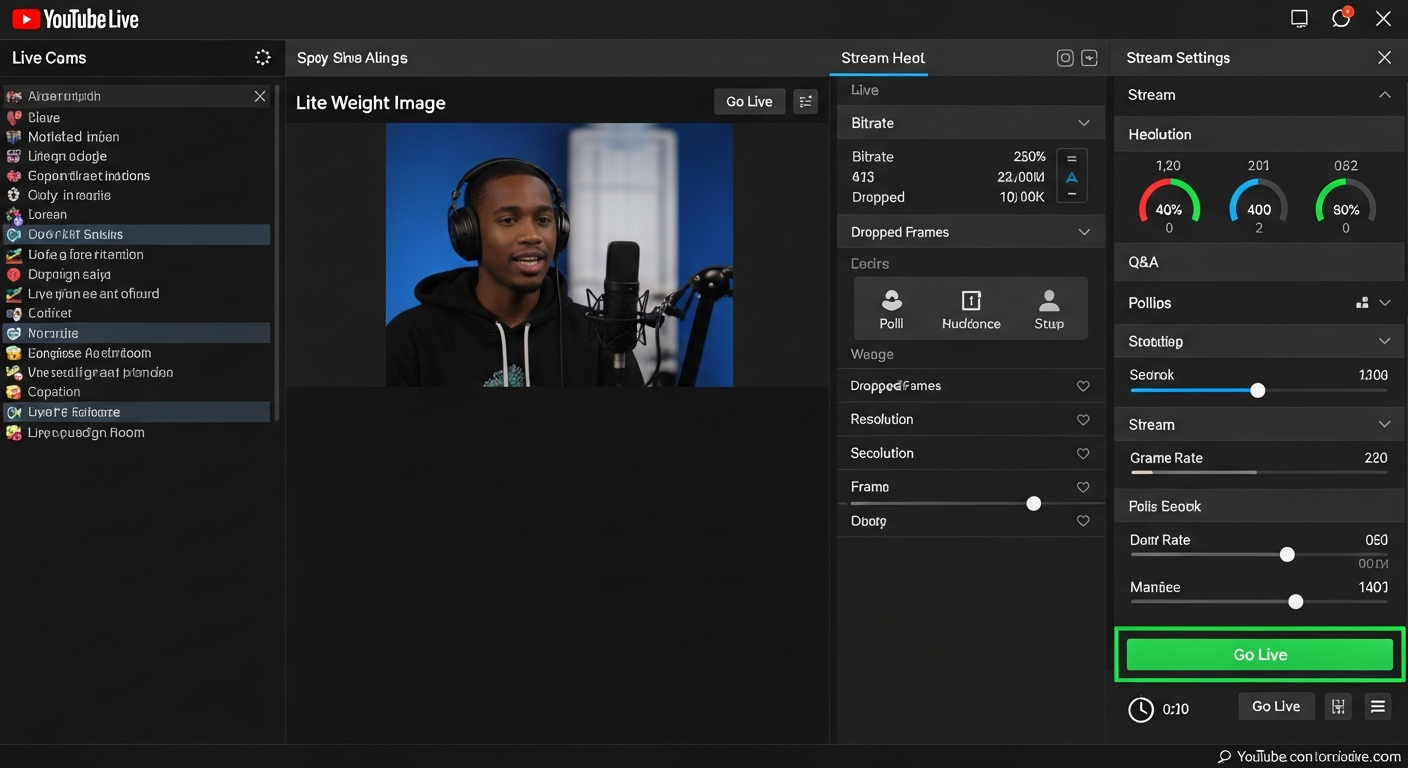
YouTube’s built-in streaming dashboard is simple yet powerful.
Free Features Include:
- Studio analytics
- Chat moderation
- Live scheduling
- Webcam streaming
- Stream health indicators
Perfect for simple webcam or browser-based streams.
16. Facebook Live Producer
Best for: Business pages, communities, events
Platform: Browser
Facebook Live Producer is designed for businesses, educators, and brands.
Free Features Include:
- Polls
- Q&A
- Camera switching
- Stream dashboard
- Custom RTMP
A strong choice for community engagement.
17. Discord Go Live
Best for: Gaming, screen sharing, private group streams
Platform: Desktop + mobile
Discord Go Live lets you stream your screen or gameplay to your server.
Free Features Include:
- Screen share up to 1080p (paid for 1080p/60fps)
- Voice + video
- Group streaming
Ideal for small audience streams.
Professional-Level Freemium Tools
18. Castr
Best for: Organizations, professionals, churches, webinars
Skill Level: Intermediate
Platform: Browser
Castr is a high-end streaming and multistreaming studio with great analytics and reliability.
Free Features Include:
- Limited multistreaming
- Basic studio functions
- RTMP support
More advanced features like 4K or watermark removal require paid plans.
19. Wirecast Play
Best for: Beginners using Telestream platforms
Platform: Windows, macOS
Wirecast Play was a simplified free edition of Wirecast included in your source.
Free Features Include:
- Basic streaming
- Basic scenes
- Simple overlays
Wirecast Studio and Pro offer advanced broadcasting features.
Conclusion: Which Tool Should You Choose?
With more than 19 free and freemium live streaming tools available, you can choose your perfect setup based on your needs:
✔️ For Gamers: OBS Studio, Streamlabs, Nvidia ShadowPlay
✔️ For Interviews & Business Streams: Melon, Restream Studio, Be.Live, VDO.Ninja
✔️ For Multistreaming: Restream, OneStream, Prism, Castr
✔️ For Mobile Creators: Prism Live Studio, Streamlabs Mobile, TikTok Live, Instagram Live
✔️ For Console Streaming: Lightstream
✔️ For Automation: OneStream Live (prerecorded → livestream)
✔️ For Private Streaming: Discord Go Live
No matter your skill level, you now have a complete guide to choosing the best free streaming software for your content goals.


Leave a Reply